






Aktuelle News & Schlagzeilen
Lightware launches GPIO Button
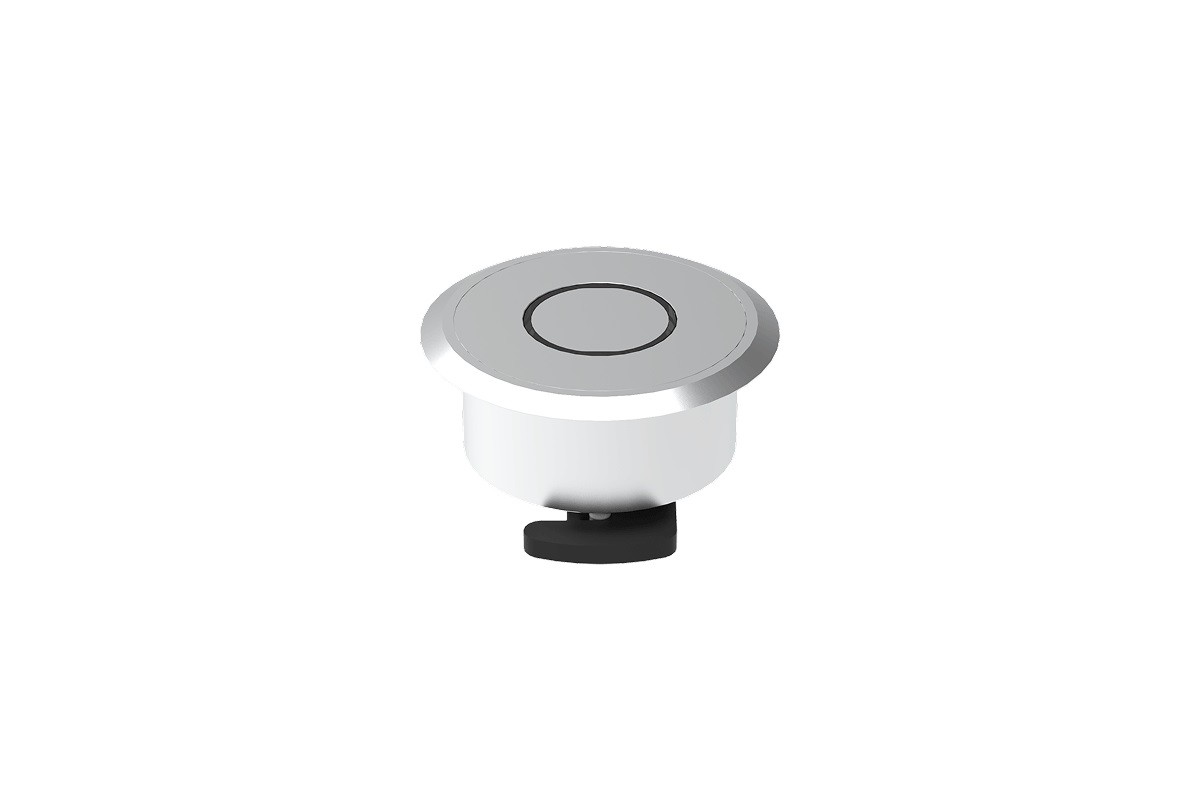
Lightware Visual Engineering has released GPIO-Button-10S, a dedicated control interface enabling straightforward “press-to-action” commands in AV installations. The button provides integrators and end users with a hardware control option for custom actions and fast, tactile operation.
The GPIO-Button-10S can be connected to any Lightware device equipped with GPIO ports and used as an input to trigger predefined control actions. This allows local control without the need for a separate, more complex processor for basic tasks. “We designed the GPIO Button to address a key gap in hardware control interfaces, by providing low-latency, tactile command execution with minimal configuration”, says Gergely Vida, CEO at Lightware.
Up to two GPIO Buttons can be connected to a six-GPIO Lightware device, such as units from the Taurus or MMX2 range. Each button uses one GPIO channel for the button press and two GPIO channels to drive the feedback LED, providing clear visual confirmation of activation. The LEDs can display red, green, or blue, with three selectable light patterns - continuous, slow blink, or fast blink. This enables integrators to provide clear status feedback in any environment.
Once installed, the buttons can be fully configured using Lightware’s Lara or Event Manager software, supporting single, double or long presses, each programmable to trigger distinct actions or sequences. With a diameter of 20.8 mm (0.82’’), the button is suitable for frequent use in lecture halls, meeting rooms, and boardrooms. In a lecture hall, a single press can start the projector, switch audio to the lecturer mic, and activate preset lighting, all without touching software menus.
According to the manufacturer, integrators will appreciate the GPIO button’s plug-and-play simplicity, with a pre-terminated 2.5 m (8’) pigtail for quick integration into AV systems. Six pre-labelled icons and one customizable label ensure efficient function identification. The button also enhances manual control in BYOD and Microsoft Teams Room setups, allowing users to switch inputs, trigger room presets, or mute and unmute devices with a single press.
(Photo: Lightware Visual Engineering)
SCHLAGZEILEN
news archiv
suche
© 1999 - 2026 Entertainment Technology Press Limited News Stories